

Most local businesses spend time and money on Google Ads, social media, and review management. However, very few check whether the phone number on their Google Business Profile is still valid.
Now, that is not some small oversight. A potential customer who finds the wrong address and drives to an empty unit, will not come back. A potential customer who calls a disconnected number does not try a second time. These are unnecessary lost opportunities, and a waste of your SEO funding.
In 2026, a business with inconsistent or conflicting information across the web may not appear in AI-generated local search results at all, regardless of how much they have invested in everything else.
This guide is about NAP: Name, Address, and Phone Number. NAP is the foundational basis of local search visibility, and it is the layer most businesses get wrong, in ways that they never notice. We will cover what it is, why it matters more now than it did two years ago, the mistakes that are most likely costing you customers, and a step-by-step process to audit and fix it.
What Is NAP?
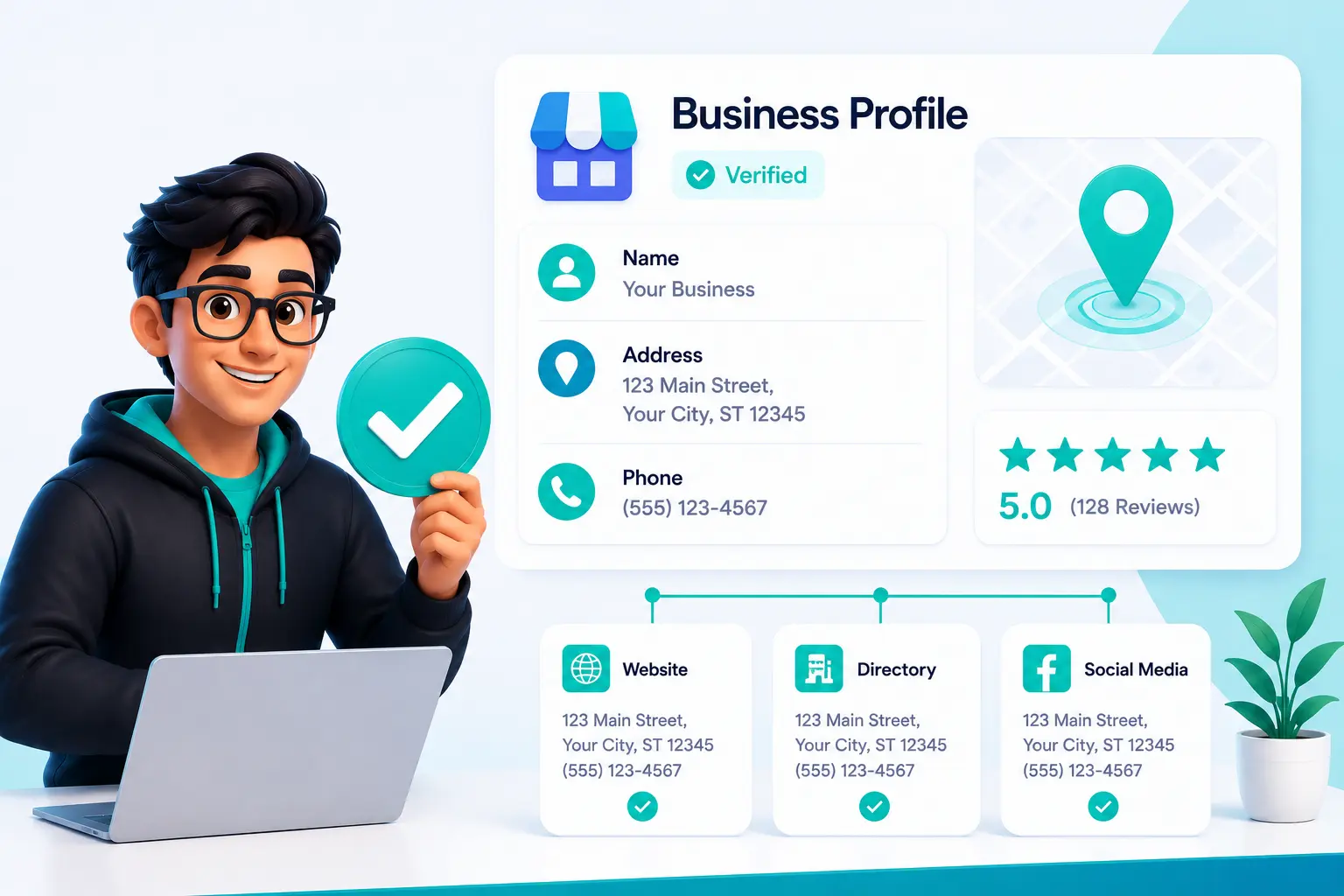
NAP stands for Name, Address, and Phone Number. These three fundamental details are the core identifiers of your business, online. They appear on your Google Business Profile, your website, your social media pages, business directory listings, and dozens of other sources where you are seen. Together they form your digital business identity: the set of information that tells the internet who you are, and how to find you.
Name
Your business name should be the actual name your customers know and use. It should stay consistent across your website, directory listings, and all your online profiles. Tacking on keywords, service descriptions, or locations to your business name that are not genuinely part of your official trading name, creates inconsistency and violates Google’s guidelines.
Address
Address needs to be complete and accurate: street name and number, suite, level or unit number where applicable, city, region, and postcode. Service area businesses that do not serve customers at a physical location will handle this differently, and this is covered in the ‘Common Mistakes’ section below.
Phone Number
Phone number should be active, easily reachable, and identical across all your major online platforms. A local number is preferable to a generic call centre line because it signals a genuine local presence. Using different numbers across listings without a clear, documented strategy creates confusion for both customers and the search algorithms.
| Worth knowing
“123 Main Street, Suite 200” and “123 Main St, Ste. 200” describe the same address. A human reads them as identical. A search engine or AI system parsing structured data may treat inconsistent formatting as references to two separate businesses, splitting your citation authority rather than building it. Format consistency matters just as much as factual correctness. You need both. |
Why NAP Accuracy Matters
NAP affects your position in local search results
We need to understand that Google ranks local businesses on three core factors: proximity (how close you are to the searcher), relevance (how well your profile matches their query), and prominence (how well-known and trusted your business appears online). Businesses wanting to strengthen their prominence should treat NAP accuracy as a core part of their Google Business Profile optimization process.
When your business information appears accurately on various authoritative directories, each listing acts as a confirmation signal that your business is legitimate and established. Industry surveys of local SEO practitioners estimate that citation signals account for roughly 7% of your local ranking weight. And that figure compounds. So, every consistent citation reinforces your authority, and every inconsistency works against it.
Businesses with fragmented, conflicting or outdated NAP data across the web routinely lose ground in local searches, to competitors who simply keep their information accurate and current.
NAP affects whether customers actually reach you
According to Google’s research, 76% of people who perform a local search visit a business within 24 hours. This remarkable conversion rate highlights the importance of keeping your business information accurate and up to date.
Outdated or inconsistent business information can cost you customers. An old phone number leads to missed calls and lost business opportunities. An incorrect address sends potential customers to the wrong location, making it unlikely they will try again.
Google can change your profile without telling you
This is the part that most guides leave out. You need to be aware that Google sometimes automatically updates your business profile based on information it pulls from third-party sources across the web. If those sources contain outdated details, your profile can be adversely changed without any notification to you.
Take a look in your GBP dashboard. Google highlights its changes in blue text next to your original information. Most business owners never see this because they set up their profile once and rarely go back. The practical implication is that monitoring your GBP is an ongoing task. It is regular maintenance, and skipping it means you can’t be confident your listing is showing what you think it is.
AI search has raised the stakes considerably
Google’s AI Overviews, AI Mode, and voice search now generate local business answers by pulling structured data directly from your Google Business Profile When someone asks a voice assistant to find a nearby service, or prompts Google’s AI for a local recommendation, the businesses that appear are those with accurate, consistent, well-structured data on their profile.
Businesses with inconsistent or incomplete NAP, risk being skipped in those results, even if they rank well in a traditional local search. AI systems also cross-reference your business information across multiple platforms to assess legitimacy. Discrepancies between sources reduce the system’s confidence in your data, making it less likely to include your business in AI-generated responses.
Common NAP Mistakes Businesses Make
Mistake 1: Assuming small formatting differences do not matter
This is the most common and most underestimated NAP error. Many businesses believe that as long as their core details are correct, minor formatting variations are harmless. They are not.
You have to appreciate that search engines and AI systems read structured data literally. So, when one listing shows ‘123 Main Street, Suite 200’ and another shows ‘123 Main St, Ste. 200,’ the algorithm can interpret these as two separate businesses, rather than the same one. This splits your citation authority instead of building it, and reduces the confidence that Google assigns to your business data.
Formatting differences to watch for:
- Street versus St. versus St (abbreviation inconsistency)
- Suite versus Ste. versus Unit (unit number formatting)
- Including or omitting the country dialing code on phone numbers
- Using brackets versus dashes in phone number formatting
- Inconsistent capitalization of your business name
- Including or omitting Ltd, LLC, or similar legal designators
Mistake 2: Using call tracking numbers as your primary phone listing
Call tracking numbers are useful for measuring which marketing channels drive phone enquiries. The problem comes when a tracking number is used as the primary phone number on your Google Business Profile, rather than your actual local business number.
If your website shows your real number, while your GBP shows a tracking number, and some directories show an obsolete number, Google receives three conflicting signals. The safer approach is to keep your real local number consistent everywhere for NAP purposes, and use call tracking through website-level scripts or UTM parameters, which do not affect your listed contact details.
Mistake 3: Updating GBP but not the rest of your online presence
When a business moves premises, changes its phone number, or rebrands, updating the Google Business Profile is usually the first step. But GBP is just one part of a much wider network of listings, directory databases, and social profiles you may feature on. Leaving old information on those other platforms creates conflicting data across the web.
As covered above, Google’s automatic update mechanism can pick up that old information from third-party sources and apply it back to your profile, thus undoing your updating. Any change to your business details needs to trigger a full audit across all online platforms, not just a single update to one listing.
Mistake 4: Mishandling service area business information
Businesses that serve customers at their location but are based elsewhere, including tradespeople, mobile services, and home-based consultants, often get their GBP address information wrong. Listing a home address, a virtual office, or a location where the business does not genuinely operate may lead to profile suspension.
Google Business Profile allows service area businesses to hide their physical address and list the regions they cover, instead. For these businesses, NAP consistency means keeping the business name and phone number identical across all listings, even without a published street address.
Mistake 5: Treating NAP as something you set up once
We all know that business information changes, with the passage of time. Phone systems get updated. Companies move. Directories may refresh their databases automatically. But old information left scattered on the web can resurface and create new inconsistencies, months or years after you thought the issue was resolved.
Being realistic, without a scheduled review process, NAP drift is almost inevitable. Businesses that treat this as ongoing maintenance will always present more reliable, trustworthy data than those that treat NAP as a one-time task when first set up.
How to Audit and Fix Your NAP
Fixing NAP consistency is a structured process. Working through these steps in order gives the most reliable results.
Step 1: Define your Master NAP
Before making any changes or updates, you need to decide exactly what your NAP should say, formatted precisely as it will appear everywhere. This is your Master NAP: the single reference point that every listing, directory entry, and web page must match.
- Your exact business name, including or excluding Ltd, LLC, and punctuation
- Your full street address written out completely with no abbreviations
- A single phone number in one consistent format
So, write these details down and share them with anyone in your organisation who manages online listings.
Step 2: Audit your existing listings
Use a citation audit tool to scan your business information across 50 or more directories at once. The main tools used for this are BrightLocal (comprehensive citation tracking), Whitespark (strong for identifying citation sources by industry), and Semrush Local (connects citation data with broader SEO reporting).
These tools pull together every variation of your NAP currently live online and rank them by directory authority. Most businesses find more inconsistencies than they expected, particularly on data aggregator platforms that they did not know were listing their information.
Step 3: Fix your Google Business Profile first
Your GBP carries the highest authority and is the source Google prioritizes above all others. So, make sure your name, address, and phone number match your Master NAP exactly. Review the profile for any automatic edits that Google might have made, shown in blue text in the dashboard, and correct them where needed.
While you are in the profile, also verify your website URL, main business category, and listed operating hours. These details reinforce the impact of having correct NAP data, and contribute to how well your profile performs in local searches.
Step 4: Update your website
It is important that your website displays the Master NAP in the footer, and on the contact page. This matters for search crawlers that cross-reference your on-site information against your GBP and directory listings, and for potential customers looking to get in touch.
One step that too many local businesses skip is adding LocalBusiness schema markup to their website. Schema is structured code that makes your NAP machine-readable, not just to Google’s crawlers but to the AI systems that increasingly power local search results and voice answers. It also makes your website the authoritative source that Google should trust when conflicting information appears elsewhere, which directly helps prevent the auto-revert problem described above.
Here is what a basic LocalBusiness JSON-LD block looks like. Add it inside a script tag in the head of your website, and replace the placeholder values with your actual business details:
| <script type=”application/ld+json”>
{ “@context”: “https://schema.org”, “@type”: “LocalBusiness”, “name”: “Your Business Name”, “telephone”: “+44-1234-567890”, “address”: { “@type”: “PostalAddress”, “streetAddress”: “123 Main Street, Suite 200”, “addressLocality”: “Your City”, “addressRegion”: “Your Region”, “postalCode”: “AB1 2CD”, “addressCountry”: “GB” }, “url”: “https://www.yourbusiness.com” } </script> |
Then use Google’s Rich Results Test (search.google.com/test/rich-results) to validate your markup after adding it. If you run a multi-location business, each location page should have its own schema block with that location’s specific NAP details.
Step 5: Correct your directory listings
Work through your audit results, starting with the highest-authority platforms: Yelp, Bing Places, Facebook, and any industry-specific directories your customers are likely to use to find you. Then methodically update each listing to match your Master NAP exactly.
For listings you can’t edit directly, some aggregator databases do not offer self-service corrections. In those cases, submit a correction request or use a citation management service that can push updates across multiple platforms at once.
Step 7: Build a monitoring schedule
Set a reminder to review your NAP at least once a quarter. Also, enable email notifications in your GBP settings so you are alerted when suggested edits are submitted. Set up Google Alerts for your business name, so you are notified when new mentions appear online that may contain incorrect information.
If your business changes its phone number, moves premises, rebrands, or changes ownership, run a full audit immediately rather than waiting for the next scheduled review. Updating delays are the moments when inconsistencies spread fastest, and do the most damage.
Conclusion
Local search is more competitive and more automated than ever before. AI systems, voice assistants, and modern search engines increasingly decide which businesses to recommend, and those decisions depend heavily on the accuracy and consistency of your business information across the web.
Getting your NAP right is not a growth hack or a technical shortcut. It is a fundamental requirement for local SEO. Yet many businesses still overlook it. They may have a Google Business Profile, a website, and listings in several directories, but those details often contain inconsistencies that erode trust and weaken local search performance.
The good news is that NAP consistency is one of the easiest local SEO issues to fix. A thorough audit of your business listings, followed by regular monitoring, helps ensure that your name, address, and phone number remain accurate everywhere customers and search engines look.
If you want to improve your local rankings, attract more qualified customers, and build trust with both users and search engines, start by making sure your business information is consistent across every online platform. It is a small investment that can have a lasting impact on your local visibility.