

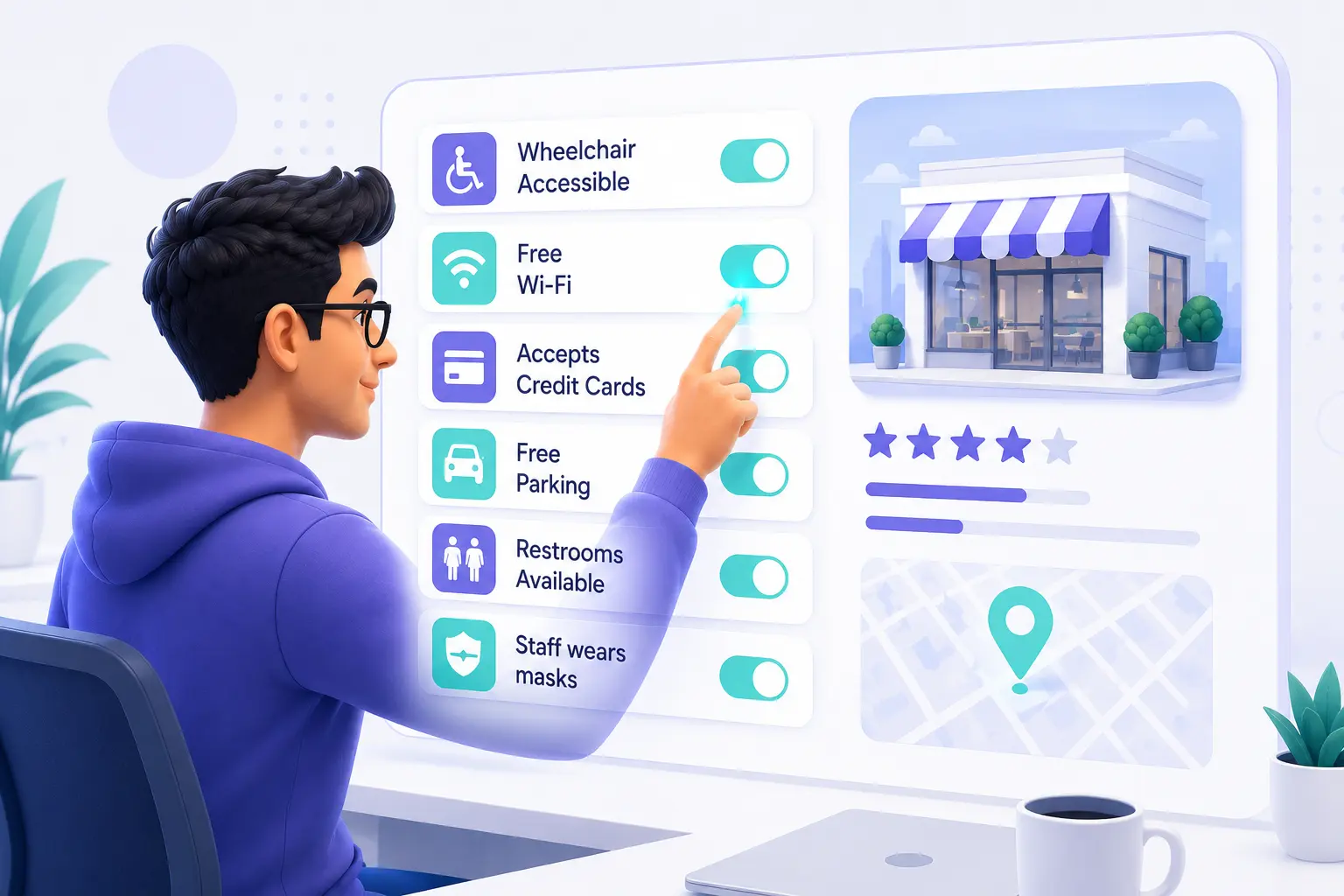
When most business owners set up their Google Business Profile, naturally they tend to focus on the basics, like their business name, address, phone number, operating hours, and visuals like photos and videos. Attributes are often overlooked or completed quickly without paying much attention to them. Too often this can prove to be a missed opportunity for strengthening their business profile.
After all, Google handles billions of searches every day, and many of those searches are for local enquiries. When someone searches for a wheelchair-accessible restaurant nearby or a pet-friendly hotel with outdoor seating, Google doesn’t just look at business names and categories. It also analyzes the structured information within business profiles to identify the most relevant results. And attributes form an important part of that information.
Attributes are an important part of maintaining an accurate profile but they are only one element of a broader Google Business Profile optimization strategy that helps improve visibility, customer engagement, and overall local search performance. Attributes help make your profile more detailed, more informative, and useful for both Google and your potential customers. The best part is that adding and updating attributes on your profile, only takes a few minutes.
This guide explains what Google Business Profile attributes are, why they matter for improving local SEO, the different types available, how to add them correctly, and the common mistakes businesses should avoid.
What is Google Business Profile Attributes
Google Business Profile attributes are specific pieces of information that highlight important details about your business. This can include accessibility options, payment methods, amenities provided, service options, and business identity.
According to Google, these selected attributes appear on your business profile across Google Search, Google Maps, and other Google platforms, and this helps potential customers understand what your business offers, and guides them to businesses that match their specific needs.
Let’s take a look at the two main types of Google Business Profile attributes.
Factual Attributes
Factual, or objective, attributes are details that business owners themselves can manage directly within their profiles. They represent the features and services that your business genuinely provides.
Examples can include:
- Free Wi-Fi
- Wheelchair-accessible entry
- Accepts credit cards
- Outdoor seating
The attributes you include should always accurately reflect your current business offerings. Ther’s no advantage in listing features that you don’t really offer. This can lead to disappointing reviews and a downgrade in trust.
Subjective Attributes
Subjective attributes, on the other hand, are generated by Google weighing customer reviews, survey responses, and a range of other user feedback sources, collected through Google Maps.
Examples include comments like:
- Cozy atmosphere
- Popular for lunch
- Great dessert
Business owners can’t manually add or edit these particular attributes. However, they can influence them over time, by delivering excellent customer experiences and encouraging customers to leave detailed reviews.
Why Google Business Profile Attributes Matter for Local SEO
Google Business Profile attributes help both customers and Google to better understand what your business has to offer. They provide important details about your services, amenities, and business characteristics, making your profile more complete and more informative.
Help Google Understand Your Business
In a nutshell, attributes provide Google with additional context about your business. So, accurate attributes can certainly improve your chances of appearing in relevant searches. It’s one of Google Map’s functions to filter where those details matter.
Help Customers Make Better Decisions
Your profile attributes allow potential customers to quickly see important information, such as accessibility features, service options, amenities, and other relevant details, to help them decide whether or not your business meets their needs.
Improve Your Profile’s Completeness
Needless to say, a well-maintained profile complete with accurate attributes creates a better experience for searchers, and helps your business stand out from competitors who may have incomplete or outdated information.
Support AI-Powered Search
Google relies on structured information to better understand profile content and deliver more relevant search experiences for their users. Therefore, keeping your business profile information accurate helps Google understand your business details better and present your business appropriately, across all their search experiences.
Types of Google Business Profile Attributes
The different types of GBP attributes are grouped into twelve categories. The options available to your business depend on your primary category and your country or region. Not every category will appear on every dashboard. Here is a full breakdown of what each category covers, and which businesses it applies to.
Accessibility Attributes
These attributes help customers with disabilities or mobility needs determine whether your business can accommodate them, before they visit.
Examples:
- Assistive hearing loop
- Beach wheelchairs
- Mobility scooter rental
- Passenger loading area
- Wheelchair-accessible elevator
- Wheelchair-accessible entrance
- Wheelchair-accessible parking
- Wheelchair-accessible restroom
- Wheelchair-accessible seating
✅ Applies to: Any business with a physical location where customers visit in person, including premises like restaurants, retail stores, clinics, hotels, gyms, and salons.
Business Identity Attributes
These attributes signal your business’s ownership and values, helping you connect with customers who actively seek to support businesses that align with their community values or beliefs.
Examples:
- Women-owned
- Black-owned
- Asian-owned
- Latino-owned
- Veteran-owned
- LGBTQ+-owned
- Indigenous-owned
✅ Applies to: Any business type, regardless of industry or size.
Crowd and Atmosphere Attributes
These attributes describe the type of customers your business welcomes, and the general atmosphere of your location. Some are factual (manually set by you), while others are subjective (driven by customer feedback).
Examples:
- Adults only
- Family-friendly
- Kid-friendly
- LGBTQ+ friendly
- Transgender safe space
✅ Applies to: Restaurants, bars, cafes, hotels, entertainment venues, and fitness studios.
Planning Attributes
These attributes tell customers what they need to know before visiting your business. For instance, whether an appointment is required, if reservations are accepted, or if the business is currently taking new patients.
Examples:
- Accepting new patients
- Appointment required
- Accepts reservations
- Reservations recommended
- Reservations required
- Membership required
- Online events calendar
✅ Applies to: Healthcare providers, dental clinics, law firms, beauty salons, spas, restaurants, and fitness studios.
Dining Attributes
These attributes clarify how customers can experience your food and drink services — whether they can eat in, make a reservation, order ahead, or have food delivered.
Examples:
- Dine-in
- Takeout
- Delivery
- Curbside pickup
- No-contact delivery
- Outdoor seating
- Drive-through
- Breakfast
- Lunch
- Dinner
- Brunch
- Late-night food
- Vegetarian options
- Vegan options
✅ Applies to: Restaurants, cafes, hotels, and businesses in the travel and tourism industry that offer food service.
Amenity Attributes
These attributes highlight the features and conveniences available at your location that will enhance the overall customer experience.
Examples:
- Activities for kids
- Air conditioning
- Airport shuttle
- All-inclusive
- Babysitting
- Baggage storage
- Bar onsite
- Beach access
- Bicycle rack
- Booster seats for children
- Business center
- Cellular service
- Child care
- Concierge
- Convenience store
- Currency exchange
- Dogs allowed
- Elevator
- Fitness center
- Fitting room
- Front desk
- Full-service laundry
- Gender-neutral restroom
- Gift shop
- Gift wrapping
- Golf course
- High chairs
- Hot tub
- Housekeeping
- In-room massage
- In-room safe
- Ironing service
- Laundry service
- Live TV
- Massage services
- Mechanic
- Meeting rooms
- Newspaper delivery
- Parking (free / paid)
- Pet-friendly
- Photocopying
- Pool
- Public restroom
- Restaurant
- Restroom
- RV hookup
- Solarium onsite
- Spa
- Steam bath
- Stroller rental
- Swimming pool (indoor / outdoor)
- Tennis court (indoor / outdoor)
- Unisex restroom
- Vending machines
- Wake-up calls
- Wi-Fi
- Wi-Fi in public areas
✅ Applies to: Primarily hotels, resorts, and businesses in the travel and tourism industry. Some amenity attributes such as Wi-Fi, parking, and pet-friendly also apply to restaurants, cafes, and retail stores.
Activity Attributes
Activity attributes describe additional experiences and recreational options available at or near your location. In other words, things guests can actively do or enjoy during their visit.
Examples:
- Beach access
- Bicycles for rent
- Boats for rent
- Game room
- Horseback riding
- Jogging track
- Nightclub
- Scuba diving
- Snorkeling
- Tennis
- Water skiing
✅ Applies to: Hotels, resorts, tourist attractions, and recreational facilities.
Service Options Attributes
These attributes tell customers the different ways they can interact with, or purchase from, your business — online, in person, or both.
Examples:
- In-store shopping
- In-store pickup
- Same-day delivery
- Online appointments
- Online care (telehealth)
- Onsite services
- Visit required
✅ Applies to: Retail stores, healthcare providers, and professional services firms.
Payment Attributes
These attributes help customers understand which payment methods your business accepts, removing uncertainty before they choose to visit.
Examples:
- Credit cards
- Debit cards
- NFC mobile payments (Apple Pay, Google Pay)
- Cryptocurrency
- Checks accepted
- Cash only
✅ Applies to: Any business with an in-person payment transaction point, including retail stores, restaurants, clinics, and service providers.
Language Attributes
Language attributes indicate which languages your staff can serve customers in. This is particularly valuable in multilingual communities and tourist-oriented areas.
Examples:
- English
- Spanish
- French
- Arabic
- Mandarin
- (and additional languages depending on your region)
✅ Applies to: Any customer-facing business in a multilingual area.
Sustainability Attributes
These attributes reflect your business’s commitment to environmental responsibility. These days, this is a growing priority for consumers, particularly Millennials and Gen Z.
Examples:
- Recycling drop-off (glass, paper, plastic, electronics, batteries, clothing)
- Eco-friendly practices
✅ Applies to: Retail stores, grocery businesses, and hospitality businesses that offer recycling services or sustainability programs.
Highlights (Subjective)
Highlights are subjective attributes driven by customer reviews and Google’s analysis of third-party web mentions. You cannot add or alter these yourself. Google assigns them based on what customers consistently say about your business in reviews, and what is written about you across the web.
Examples:
- Great dessert
- Good for groups
- Popular for lunch
- Romantic
- On critic’s lists
- Award-winning
✅ Applies to: Primarily restaurants, cafes, hotels, and entertainment venues.
How Does Google Decide Which Highlights to Assign?
Google determines which highlight attributes belong to your business profile by analyzing information it draws from multiple sources. It reviews customer feedback, reviews content, and other available signals to identify common experiences associated with a business.
For instance, if your customers consistently mention a great dessert, family-friendly atmosphere, or popular lunch options in their reviews, Google may display these as highlights on your business profile. Some highlights, such as “On critic’s lists,” may also be influenced by third-party sources like respected local publications and recognized review platforms.
While business owners can’t manually add or edit desirable highlights, they can influence them by providing excellent customer experiences and encouraging customers to leave detailed, authentic reviews.
It is also important to keep in mind that Google Business Profile attributes will vary, based on your primary business category and your geographic location. If certain attributes are not available on your dashboard, review your business category again, to confirm that it accurately represents your services because different categories may provide access to different attribute options.
How to Add or Edit Google Business Profile Attributes
Adding new attributes to your profile is straightforward. Here’s how to do it:
Step 1: Open Google Search and type your exact business name while signed into the Google account that manages your profile.
Step 2: Your business profile editing panel will appear. Click on “Edit profile.”
Step 3: Inside the editor, navigate to the “More” tab.
Step 4: You will see a list of attribute categories available to your business. Click on “Edit” next to the category you want to update.
Step 5: Next to each desired attribute, select “Yes” or “No” depending on whether it applies to your business.
Step 6: Then click “Save” when done.
Google will review any changes made to business profile information before they can appear publicly. While some updates may be visible quickly, don’t be concerned if others take longer. It depends on the type of edit and Google’s review process.
A few things to keep in mind:
- The attributes available to you depend entirely on your primary business category and your locality or region. If you don’t see an attribute that you expect, go back and check your category first.
- Be aware that Google periodically adds new attribute options. So, set a quarterly reminder to check for new additions that could be relevant to your business.
- Some attributes are collected from Maps users, based on their thoughts and opinions. It pays to check your profile regularly for anything inaccurate that has been added without your input, and correct it immediately.
- For businesses managing 10 or more locations, Google provides a bulk upload option through Business Profile Manager at business.google.com.
Common Mistakes to Avoid With Google Business Profile Attributes
Many businesses complete their Google Business Profile attributes during the initial setup process, and never review them again. Others may add attributes without considering whether they accurately represent their business. Both mistakes can create confusion for potential customers and reduce the usefulness of your profile.
Adding Inaccurate Attributes
Adding attributes that do not accurately reflect your business can create a poor customer experience. For example, claiming to offer outdoor seating, free Wi-Fi, or certain accessibility features when they are not consistently available can lead to disappointed customers and may generate negative reviews.
The fix: Be sure to only select attributes that are accurate and currently true for your business. So, if you are unsure about an attribute, leave it unselected.
Never Updating Your Attributes
Typically, businesses can change over time. You might introduce new services, add amenities, or modify how customers interact with your business. And Google also updates their available attribute options periodically.
The fix: Make sure you review your attributes regularly, and perform a complete audit at least once every few months to keep your profile up to date.
Leaving Important Attributes Blank
By ignoring relevant attributes, your potential customers may not see important information that will influence their buying decision. It can also limit your visibility in searches where users filter their search results based on specific business features.
The fix: Review every available attribute category and complete all attributes that accurately apply to your business.
Selecting Irrelevant Attributes
However, adding more attributes simply to make your profile appear more complete can confuse customers and create inaccurate expectations.
The fix: Only focus on attributes that genuinely describe your services, amenities, and customer experience. In effect, accuracy is more important than the number of attributes selected.
Ignoring User and Google Generated Information
Some attributes and profile information may be influenced by customer reviews, user feedback, and Google’s own understanding of your business.
The fix: Monitor your Google Business Profile regularly and make corrections to any inaccurate information whenever possible.
Forgetting to Check Attributes After Changing Your Business Category
Changing your primary business category can affect which attributes are available to select, in your profile. Always be aware that new attribute options may become available after a category update.
The fix: Review your attributes whenever you change your primary category to make sure you are maximizing all relevant options.
Using the Same Attributes Across Multiple Locations
Multi-location businesses often have different services, amenities, accessibility features, or operating conditions at each location.
The fix: You can manage attributes for each location individually, so every profile accurately reflects the customer experience at that specific location.
Ignoring Subjective Attributes
Although you can’t manually add subjective attributes, they will still influence how customers perceive your business. These attributes are generally based on customer reviews and feedback.
The fix: Encourage detailed customer reviews and monitor the highlights that appear on your profile to understand how Google describes your business.
Conclusion
Google Business Profile attributes are a simple but valuable contributor to your local SEO. They help customers understand what you offer, provide Google with fuller information about your services and features, and improve the overall completeness of your profile.
Whether it is accessibility options, service methods, dining features, available amenities, or business identity details, every relevant attribute helps create a more informative experience for potential customers when they conduct their search.
Take time to review your available attributes and be sure to update them regularly. Choose only the options that accurately represent your business, monitor any changes to your profile, and revisit your attributes whenever your trading details or business category change.
A well maintained and accurate Google Business Profile builds customer trust, and gives your business a stronger presence in Google Search and Google Maps.