

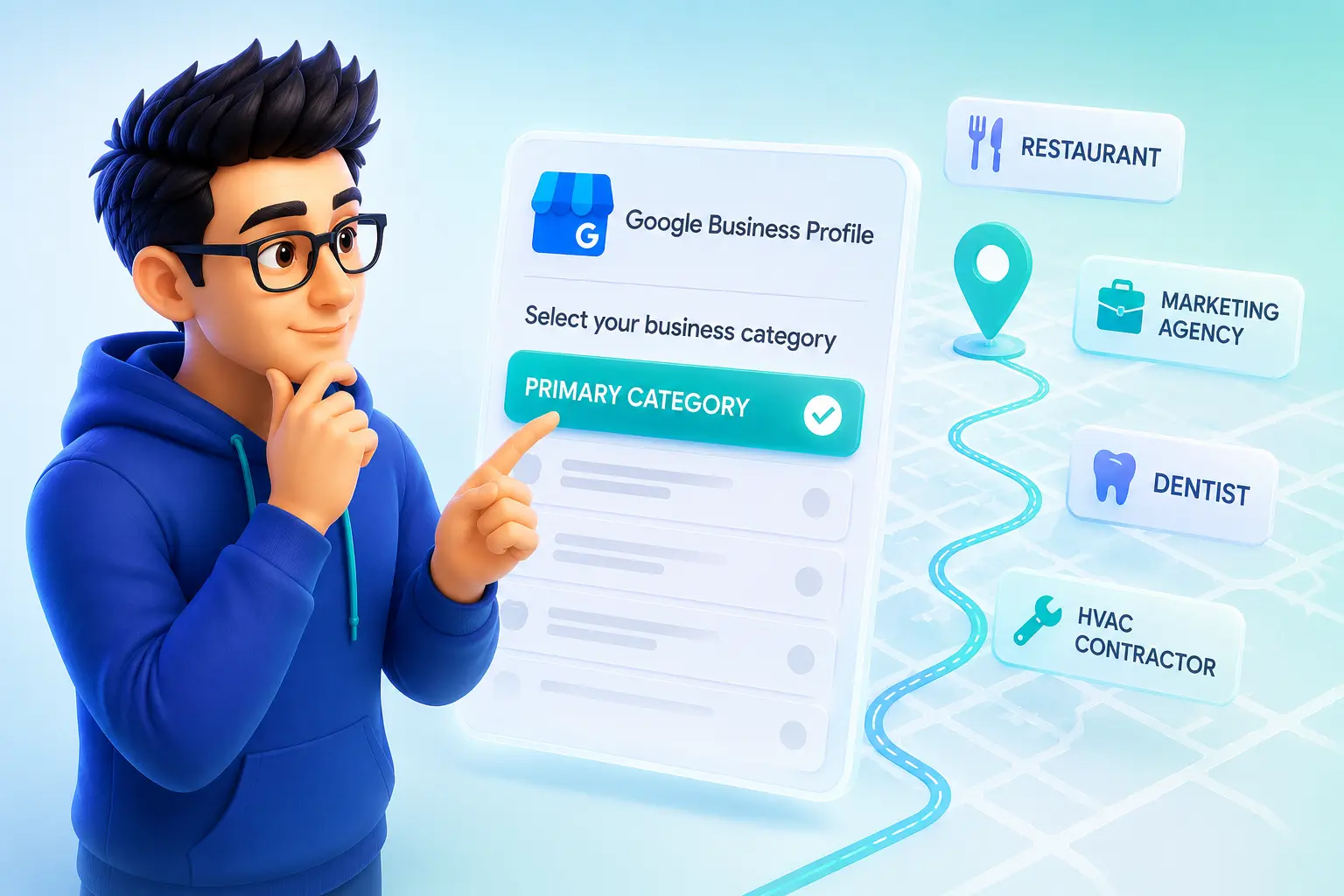
If you have ever searched for a local business on Google and noticed a small label under the business name — “Plumber,” “Italian Restaurant,” “Personal Injury Attorney”. That label is a Google Business Profile category. Sure, it looks like a minor detail. But it isn’t.
Your business’s GBP category is one of the most powerful signals you can send to Google about what your business does, and therefore, which search results it should appear in. If you get it right, your site would show up in the Map Pack for searches that bring in real customers. But if you get it wrong, you stay invisible while a competitor with a better-matched category wins the customer call.
This guide covers everything: what categories are, why they matter, the complete list organized by industry, how to choose the right ones using the MAPS Method, how to update yours, and the mistakes that quietly kill local rankings.
What Are Google Business Profile Categories?
In a nutshell, Google Business Profile categories are predefined labels that describe what your business does or what you offer. When you set up or manage your GBP listing — or work with a GBP optimization specialist — one of the first decisions is to pick the most relevant category. This is critical. Google uses these categories to decide which searches your profile is relevant for.
So, you need to be careful and unambiguous. Google offers thousands of categories across different industries. You can choose one primary category that best represents your main or core business, and you can add secondary categories for other services you provide. Since custom categories are not permitted, selecting the most accurate option/s for your business is essential, to ensure better local visibility.
A good rule to follow is to choose categories based on what your business does, rather than on the features or amenities it offers. Your primary category should always represent your main business activity.
Understanding Primary and Secondary Categories
Categories play a key role in how your Google Business Profile is understood and ranked. To accurately describe your business, Google allows you to select one primary category and multiple secondary categories, each serving a different purpose.
Primary Category
Of course, the primary category you select is the main label that describes what your business is or does. So, make sure it describes your core service, main offering, or the activity that best defines your enterprise. This is the category that customers would most likely choose, when describing your business.
Secondary Categories
The secondary categories you pick, describe other services or specialties your business offers, beyond your main business activity. They help Google understand your complete service offerings, and improve your visibility for additional relevant searches.
So, be sure to choose the most specific and accurate category as your primary category. Then use secondary categories to support your main business activity, with other legitimate services you offer. It’s more important to focus on relevance rather than just adding every possible category.
Why GBP Categories Matter for Local SEO
Choosing the correct categories is important, to boost your visibility in Google Search and Google Maps. Here are some of the key reasons why GBP categories matter:
Improve Visibility in Relevant Searches
Google uses your categories to determine whether your business matches a user’s search intent. Selecting accurate categories at set-up, increases your chances of appearing for relevant local searches.
Influence Google Maps and Local Pack Rankings
Your primary category helps determine which searches your business can compete for, in Google Maps and the Local Pack.
Unlock Industry Specific GBP Features
Certain categories enable special profile features, such as menus for restaurants, appointment options for service businesses, or other relevant attributes.
Help Google Understand Your Services
Your category choices provide Google with a clear signal about your business type, making it easier to connect your profile with related search terms.
Increase Customer Engagement and Conversions
A properly categorized profile displays your most relevant information and features, helping potential customers take action more easily.
The Full GBP Category List by Industry
Google’s full list contains over 4,000 options and is updated regularly, making it impractical to reproduce every category here. What follows here, is an organized reference by industry group, featuring the most commonly used and searched categories within each group. To look at the complete, current list of all categories, the best resource is the PlePer GBP Category Tool (pleper.com), which pulls directly from Google’s system, and updates every few days.
Use this section to identify your most likely category range, then cross-reference it with PlePer to confirm the exact wording, and discover more granular options within your industry.
Food and Beverage
Restaurant, American Restaurant, Italian Restaurant, Mexican Restaurant, Chinese Restaurant, Japanese Restaurant, Indian Restaurant, Thai Restaurant, Mediterranean Restaurant, Pizza Restaurant, Burger Restaurant, Seafood Restaurant, Steakhouse, Sushi Restaurant, Vegan Restaurant, Vegetarian Restaurant, Fast Food Restaurant, Cafe, Coffee Shop, Bakery, Gluten-Free Bakery, Pastry Shop, Ice Cream Shop, Juice Bar, Smoothie Bar, Bar, Sports Bar, Cocktail Bar, Wine Bar, Brewery, Pub, Food Truck, Catering Food and Drink Supplies, Meal Delivery
Health and Medical
Doctor, General Practitioner, Pediatrician, Family Practice Physician, Internal Medicine Physician, OB-GYN, Cardiologist, Dermatologist, Neurologist, Orthopedic Surgeon, Plastic Surgeon, Urologist, Gastroenterologist, Psychiatrist, Psychologist, Therapist, Counselor, Dentist, Cosmetic Dentist, Orthodontist, Oral Surgeon, Dental Implants Periodontist, Teeth Whitening Service, Optometrist, Ophthalmologist, Chiropractor, Physical Therapist, Occupational Therapist, Speech Pathologist, Acupuncturist, Nutritionist, Dietitian, Medical Clinic, Urgent Care Center, Hospital, Pharmacy, Medical Laboratory, Mental Health Service, Drug Addiction Treatment Center, Fertility Clinic
Home Services
Plumber, Emergency Plumber, Drainage Service, HVAC Contractor, Air Conditioning Contractor, Heating Contractor, Electrician, General Contractor, Roofing Contractor, Roofer, Bathroom Remodeler, Kitchen Remodeler, Home Builder, Custom Home Builder, Painter, House Painter, Flooring Store, Flooring Contractor, Carpet Installer, Tile Contractor, Drywall Contractor, Insulation Contractor, Window Installation Service, Door Supplier, Fence Contractor, Deck Builder, Landscaper, Lawn Care Service, Tree Service, Snow Removal Service, Pressure Washing Service, Cleaning Service, House Cleaning Service, Carpet Cleaning Service, Pest Control Service, Exterminator, Locksmith, Emergency Locksmith Service, Garage Door Supplier, Pool Cleaning Service, Swimming Pool Contractor, Handyman, Septic System Service, Well Drilling Contractor, Foundation Repair Service, Waterproofing Company, Basement Waterproofing Company, Gutter Cleaning Service, Solar Energy Contractor, Home Security Company, Home Inspector, Interior Designer, Interior Architect
Legal Services
Lawyer, Attorney, Personal Injury Attorney, Family Law Attorney, Divorce Lawyer, Criminal Justice Attorney, DUI Attorney, Immigration Attorney, Bankruptcy Attorney, Employment Attorney, Workers Compensation Lawyer, Real Estate Attorney, Estate Planning Attorney, Probate Attorney, Tax Attorney, Business Attorney, Intellectual Property Attorney, Civil Law Attorney, Law Firm, Legal Services, Notary Public, Process Server
Financial Services
Financial Planner, Financial Advisor, Investment Service, Accounting Firm, Accountant, Certified Public Accountant, Tax Preparation Service, Bookkeeping Service, Payroll Service, Insurance Agency, Insurance Broker, Life Insurance Agency, Auto Insurance Agency, Health Insurance Agency, Home Insurance Agency, Mortgage Broker, Mortgage Lender, Loan Agency, Bank, Credit Union, ATM, Financial Institution, Tax Consultant, Business Management Consultant
Automotive
Auto Repair Shop, Car Repair and Maintenance Service, Auto Body Shop, Tire Shop, Oil Change Service, Car Wash, Auto Detailing Service, Car Dealership, Used Car Dealer, Auto Parts Store, Towing Service, Roadside Assistance Service, Transmission Shop, Brake Shop, Muffler Shop, Auto Glass Shop, Windshield Repair Service, Truck Repair Shop, Motorcycle Repair Shop, RV Dealer, RV Repair Shop, Auto Auction, Car Inspection Station, Smog Inspection Station, Wheel Alignment Service, Auto Electrical Service, Auto Air Conditioning Service, Parking Lot, Parking Garage
Beauty and Personal Care
Hair Salon, Hair Care, Barbershop, Nail Salon, Beauty Salon, Day Spa, Med Spa, Medical Spa, Massage Therapist, Massage Spa, Waxing Hair Removal Service, Eyebrow Bar, Eyelash Salon, Tattoo Shop, Piercing Shop, Tanning Salon, Makeup Artist, Permanent Makeup Artist, Skin Care Clinic, Laser Hair Removal Service, Botox Clinic, Facial Spa, Hair Removal Service
Real Estate
Real Estate Agency, Real Estate Agent, Real Estate Broker, Property Management Company, Commercial Real Estate Agency, Real Estate Appraiser, Real Estate Auctioneer, Vacation Rental Agency, Short Term Apartment Rental Agency, Apartment Rental Agency, Apartment Complex, Real Estate Developer, Title Company, Escrow Service, Home Staging Company, Mortgage Broker
Professional and Business Services
Marketing Agency, Digital Marketing Agency, SEO Agency, Advertising Agency, Public Relations Firm, Social Media Agency, Web Design Company, Graphic Designer, Branding Agency, Photography Studio, Photographer, Videographer, Video Production Service, IT Service, Computer Support and Services, Managed IT Services, Cybersecurity Company, Software Company, Business Development Service, Management Consultant, Human Resources Consultant, Staffing Agency, Recruiting Agency, Translation Service, Courier Service, Shipping and Mailing Service, Co-working Space, Virtual Office Rental, Event Planner, Wedding Planner, Printing Service, Sign Shop, Consulting Firm
Education and Childcare
School, Elementary School, Middle School, High School, Private School, Charter School, Preschool, Kindergarten, Child Care Agency, Day Care Center, After School Program, Tutoring Service, Test Preparation Center, Language School, Driving School, Vocational School, Community College, University, College, Music School, Art School, Dance School, Martial Arts School, Swim School, Yoga Studio, Personal Trainer, Fitness Center, Gym, Pilates Studio, CrossFit Gym, Boxing Gym
Retail
Grocery Store, Supermarket, Convenience Store, Pharmacy, Hardware Store, Home Goods Store, Furniture Store, Mattress Store, Appliance Store, Electronics Store, Computer Store, Mobile Phone Repair Shop, Cell Phone Store, Clothing Store, Shoe Store, Sporting Goods Store, Outdoor Sports Store, Bicycle Store, Toy Store, Book Store, Gift Shop, Florist, Jewelry Store, Antique Store, Thrift Store, Liquor Store, Wine Store, Pet Store, Garden Center, Nursery, Art Supply Store, Craft Store, Musical Instrument Store, Office Supply Store, Wholesale Grocer
Hospitality and Travel
Hotel, Motel, Bed and Breakfast Inn, Hostel, Resort, Vacation Home Rental, Campground, RV Park, Travel Agency, Tour Agency, Tour Operator, Airport, Car Rental Agency, Limousine Service, Taxi Service, Shuttle Service, Moving Company, Moving and Storage Service, Storage Facility, Self-Storage Facility, Event Venue, Banquet Hall, Conference Center, Wedding Venue, Party Planner
Technology and IT
IT Service, Computer Support and Services, Managed IT Services, Computer Repair Service, Phone Repair Service, Data Recovery Service, Network Security Service, Cybersecurity Company, Software Company, App Developer, Web Hosting Company, Internet Service Provider, Computer Store, Electronic Parts Supplier, Security System Installer, Home Theater Installation Service, Smart Home Installer
Arts, Entertainment, and Recreation
Movie Theater, Amusement Park, Bowling Alley, Arcade, Escape Room, Mini Golf Course, Golf Course, Country Club, Sports Club, Fitness Center, Gym, Yoga Studio, Swimming Pool, Tennis Club, Martial Arts Club, Dance Studio, Music Venue, Concert Hall, Art Gallery, Museum, Comedy Club, Karaoke Bar, Nightclub, Axe Throwing Club, Trampoline Park, Go-Kart Track, Indoor Play Center, Zoo, Aquarium, Botanical Garden, Park, Hiking Area, Shooting Range, Rock Climbing Gym
Religious and Community
Church, Catholic Church, Baptist Church, Methodist Church, Evangelical Church, Non-Denominational Church, Mosque, Synagogue, Hindu Temple, Buddhist Temple, Religious Organization, Non-Profit Organization, Charity Organization, Community Center, Volunteer Organization, Food Bank, Animal Shelter, Senior Citizens Center, Veterans Organization, Funeral Home, Cemetery, Cremation Service
How to Choose the Right GBP Categories — The MAPS Method
Too many businesses choose categories by guessing what sounds right or copying a competitor’s categories without understanding why. Both approaches could leave ranking potential on the table. At Grid Rankers, we use a four-step process called the MAPS Method — a repeatable framework for choosing GBP categories that are grounded in data, not instinct or feelings.
MAPS stands for: Match, Audit, Prioritize, Support.
Each step builds on the last. You need to work through them in order to build a category selection that is both accurate and strategically positioned to compete in your local market.
M — Match Your Core Service to the Most Specific Category Available
Start with a single question: what is the one thing your business is best known for and most wants to rank for?
That answer points to your primary category. Your job in this step is to find the most specific category in Google’s list that accurately describes that core service — not the broadest one that technically applies.
Broad categories create broad competition and earn weak relevance signals. On the other hand, specific category picks match high-intent searches and consistently outperform generic ones.
Examples of broad vs specific:
- “Contractor” → “Bathroom Remodeler”
- “Lawyer” → “Personal Injury Attorney”
- “Beauty Salon” → “Nail Salon”
- “Medical Clinic” → “Pediatric Dentist”
So, use the GBP dashboard autocomplete to discover specific options that you may not know exist. Simply type a keyword related to your service and review what appears. You may discover a subcategory that fits far better than the obvious choice. If no specific category exists for your service, then the closest accurate general category is the right call but never force specificity by choosing a category that does not truly reflect what you do.
A — Audit What Google Is Already Ranking in Your Market
Once you have selected a candidate primary category, verify it against the real-world data that Google is already showing you.
To do this, open Google and search your core service keyword plus your city or location — for example, “emergency plumber Denver” or “family dentist Manchester.” Look at the three businesses that come up in the Map Pack. These are the businesses that Google has decided are most relevant for that search in that location. Your goal is to find out which primary category they are using.
The free Chrome extension GMB Everywhere lets you see competitor GBP categories directly on the search results page, without having to click into each listing. Install it, run your target search, and the primary category for each Map Pack result will appear alongside it. Look for the pattern. If two or three of the top results share the same primary category, that is a strong signal Google favors that category for your service type, in your area.
Please note two important points about this audit:
First, what works in one city does not automatically work in another. Search patterns, competition density, and category preferences can vary by market. So, always audit your own specific target location.
Second, while the audit helps confirm or refine your choice — it does not replace Step 1. If your core service is bathroom remodeling but the Map Pack audit shows “General Contractor” dominating, check whether those businesses actually lead with bathroom remodeling or just offer it as a secondary service. Copy the category that best matches your actual business, not just whatever is ranking for somebody else.
P — Prioritize by Profitability and Search Demand
Now, with your primary category confirmed, run it through two filters before locking it in.
Profitability. Does ranking for this category bring in your highest-value customers? There is no benefit in optimizing for a category that generates enquiries for low-margin services. If your most profitable work is commercial roofing but your category targets residential, you are building visibility in the wrong direction.
Search demand. One thing you need to determine is if there is meaningful search volume behind this category, in your target area? A highly specific category is only useful if people are actually searching for it in your locality. For most mainstream service categories this is not an issue, but for niche businesses it could be worth checking. You can use Google Trends or keyword research tools to validate that the search demand exists before committing your primary choice to a low-volume category.
If your first-choice category fails one of these filters, revisit your candidate list from Step 1 and find a category that is both specific enough to win and commercially valuable enough to matter.
S — Support With Secondary Categories That Reflect Real Services
So, now your primary category is set. Next, you need to build a supporting layer of secondary categories that expand your visibility for related searches — without diluting the primary signal or going nuts and violating Google’s guidelines.
The rule here is simple: only add a secondary category for a service you genuinely provide, that your website supports, and that your reviews reflect. Google has become increasingly aggressive about detecting category mismatches. If your secondary categories are for services that are not supported by your web content or review patterns, Google may auto-correct your listing or not select it for those searches.
Practical guidance for building your secondary list:
Start with your other genuine service lines and find the closest GBP category for each of them. A locksmith’s secondary categories might include, “Emergency Locksmith Service,” “Safe and Vault Shop,” and “Security System Installer.” A dentist’s might include, “Cosmetic Dentist,” “Orthodontist,” and “Teeth Whitening Service.”
Do not repeat your primary category in the secondary slots — that is a wasted opportunity.
Do not fill all nine slots just for the sake of it. Three to five well-matched secondary categories will consistently outperform nine loosely connected ones. Remember —relevance beats volume every time.
Be sure to revisit your secondary categories every few months because Google regularly adds new categories to its list. A category that did not exist when you last checked might now be a perfect fit for a service you already offer.
The MAPS Method at a Glance
| Step | Action | Goal |
| M — Match | Find the most specific accurate category for your core service | Precision over breadth |
| A — Audit | Check what Google is already ranking in your local market | Data over assumption |
| P — Prioritize | Filter by profitability and search demand | Value over volume |
| S — Support | Add secondary categories for real additional services | Expand without diluting |
Run through these four steps in order for any new listing, any existing listing you are auditing, or any time you are considering a category change. The MAPS Method does not guarantee Map Pack placement — no single factor does — but it ensures your category selection is as strong as it can be before any other ranking signals come into play.
How to Add or Change Your GBP Categories
Updating your categories takes less than two minutes.
- Go to your Google Business Profile Manager at business.google.com
- Select the business you want to update
- Click “Edit Profile”
- Navigate to “Business Information”
- Click on “Business Category”
- Update your primary category, or add or remove secondary categories
- Save your changes
Your updates typically take effect within a few minutes, though it can occasionally take up to 24 hours for them to reflect across Google Search and Maps.
One important note: be aware that changing your primary category can temporarily affect your visibility and rankings, as Google needs time to reassess your business relevance for the new category. So, monitor your Google Maps and Local Pack rankings after a category change, to evaluate its impact.
Avoid changing categories without proper research, or choosing categories that do not accurately represent your business. Irrelevant category changes may violate Google Business Profile guidelines and could lead to profile restrictions or even suspension.
Common Mistakes to Avoid
Choosing the right Google Business Profile categories requires careful research and well thought out strategy. Avoiding common mistakes can help maintain your profile’s relevance, improve your local visibility, and prevent unnecessary ranking issues.
Choosing What Sounds Right Instead of What Ranks
Many businesses select categories based on what feels accurate rather than researching what their top-ranking competitors are using for their target searches. They must be doing something right, to consistently earn the high rankings.
Using a Broad Category When a Specific One Exists
As we have discussed, specific categories usually provide better relevance. For example, choosing “Bathroom Remodeler” is often more effective than selecting a broad category like “Contractor.”
Adding Categories for Services You Do Not Offer
Selecting irrelevant categories violates Google Business Profile guidelines and can lead to profile restrictions, suspension, or ranking losses. Every category should accurately represent a real service that your business provides.
Filling All Available Secondary Category Slots
The maximum number of secondary categories is not a target. A few highly relevant categories are usually better than adding heaps of loosely related options.
Ignoring New Category Updates
Google regularly updates its category list by adding, removing, or modifying categories. Therefore, regular category audits help you identify better category opportunities as they arise.
Copying Competitors Without Local Research
A category that works well in another city or market may not produce the same results in your location. Always analyze competitors in your own service area.
Not Monitoring Rankings After Category Changes
Category changes can impact your Google Maps and Local Pack visibility but not always for the better. Track your rankings after you have made updates to understand whether the changes have improved or reduced your ranking performance.
Final Thoughts
GBP categories are one of the highest-leverage, lowest-effort optimizations available in local SEO. Too many businesses set them once, never revisit them, and leave ranking potential on the table as a result.
The MAPS Method gives you a repeatable process: Match your core service to the most specific available category, Audit what Google is already rewarding in your market, Prioritize by profitability and search demand, and Support it with secondary categories that reflect what you genuinely offer. Do this properly first at set-up, and revisit it every few months as your business evolves and as Google’s category list grows.
If done well, the right categories put your profile in front of people who are actively searching for exactly what you offer. That is the entire point of local SEO — and categories are where it starts.